Download LAME for Windows
LAME lets you make MP3 files. The installer checks your PC and chooses the right version for you. Current performance builds can also read FLAC files directly.
You do not need to choose 32-bit or 64-bit.
LAME lets you make MP3 files. The installer checks your PC and chooses the right version for you. Current performance builds can also read FLAC files directly.
You do not need to choose 32-bit or 64-bit.
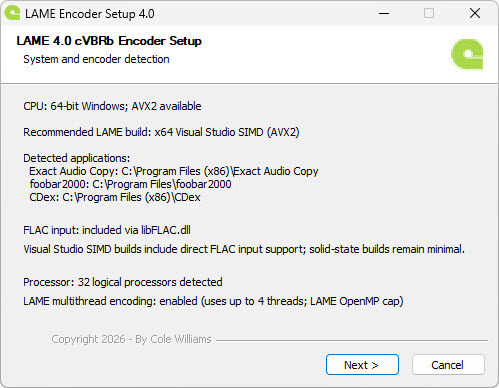
The installer checks your PC automatically and chooses a suitable build. On supported systems it uses the current Visual Studio performance build. Click Next.
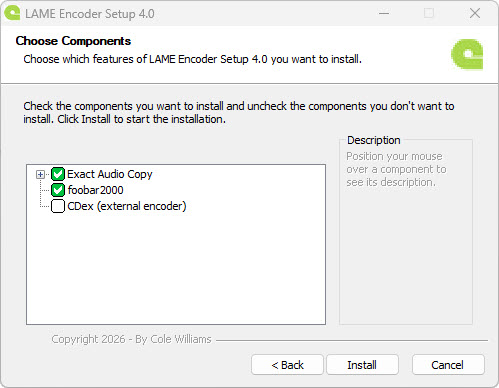
Keep the programs you use selected. Then click Install.
Open EAC → Compression Options → External Compression. Use the settings shown below.
-V2
This is a simple high-quality MP3 setting for most music.
LAME is now ready to make MP3 files. You can use the simple setup above or read the full guides for more choices.
LAME is an MP3 encoder. It turns audio into MP3 files.
No. MP3 is the audio format. LAME is software that makes MP3 files.
No. LAME makes MP3 files from audio. A CD ripping program can use LAME to make MP3 files.
Yes. The LAME installer works with Windows 11 and Windows 10.
Download LAME for Windows and run the installer. It checks your PC and installs the right version.
Yes. LAME is free and open-source software.